

Home / UPC / EAN
Retail Bar Code FontsUPC and EAN bar code fonts
Create the symbols retailers expect from a single font file, in five different heights.
Everything on the shelf
The package pairs the font with free encoders so your data is formatted correctly.
- UPC-A, UPC-E, EAN-8, EAN-13, JAN, ISBN and Bookland
- Produces Grade A barcodes, even on low-resolution printers
- Five sizes with and without human readable text
- Examples for FileMaker, OpenOffice, Word, Excel, Access and Crystal Reports
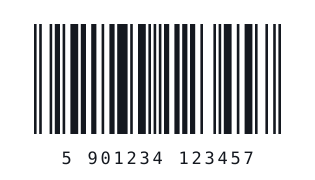
Good to know
Notes drawn from IDAutomation’s UPC/EAN page and manual.
| Feature | Detail |
|---|---|
| Standards | Matches GS1, ANSI, ISO and IEC specifications |
| GTIN | The package encodes GTIN-8, -12 and -13 numbers; GS1 DataBar may be used for complete GTIN-14 numbers |
| SSRS | IDAutomation recommends the UPC/EAN font with the SSRS font encoder for UPC-A or EAN-13 |
| Excel | A VBA encoder provides UPC-A, UPC-E, EAN-13 and EAN-8 formulas |
Related resources
UPC / EAN FontsProduct page, pricing and licensing.View on IDAutomation →GS1 Font SuitesGS1-128, GS1 DataBar and GS1 UPC/EAN together.View on IDAutomation →Code 128 FontsFor alphanumeric inventory labels.View on IDAutomation →Code 39 FontsSelf-checking labels for parts and assets.View on IDAutomation →
Labeling parts as well as products?
Code 39 is simple and self-checking.